 kafadengi

















Practice exams
Multiple-choice, test-style questions grouped into exams. Pick up where you left off or start over.

Practice test-style questions, learn the signs, then take the wheel. Drive, answer and park, all in one free app.
Free download · Android
Get Driving Simulator free
A practice tool, not a replacement for official materials. Follow your local laws and the official test handbook.
Multiple-choice, test-style questions grouped into exams. Pick up where you left off or start over.
Learn key road signs for the country you choose, one tap away from a detail view.
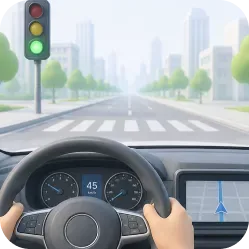
Drive a car, motorcycle or truck, tap the sign that fits, keep your hearts and collect coins.
Steer, switch between drive and reverse and slide into the spot without a crash.
Quick tips from the exam format to exam day, plus what to do if you do not pass.
Ask road questions in chat, or attach a photo. It reminds you to consult a professional before acting.
AChoose a country and open a practice exam.
BLearn the signs, read the prep guide and drive the simulator.
CCome back for another exam, another drive, another parking spot.
The app is free to download from Google Play. It shows ads and offers an optional Premium subscription. Prices are shown in the app and on Google Play.
No. Driving Simulator is a practice tool. Rules differ by country and change over time, so always follow your local laws and use the official handbook and test materials from your licensing authority.
Multiple-choice practice exams, a traffic signs library, a driving simulator where you identify the right sign, a parking simulator, a driving test prep guide and an AI chat for road questions.
You choose a country when you start the practice exams or the signs library. The list in the app includes France, Germany, Spain, the United Kingdom, the United States, Brazil and India.
Check the Data safety section on the Google Play listing for the exact permissions and data practices. Our Privacy Policy explains how Kafadengi handles personal data.
Yes. AI answers can be inaccurate, and the chat reminds you to consult a professional before acting. Never rely on it for safety-critical decisions.
Download Driving Simulator and start with your first practice exam.